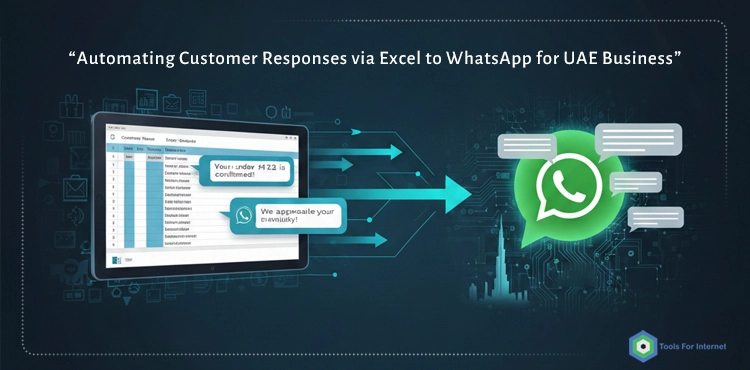
From Manual WhatsApp Replies to Smart Automation in the UAE
Excel to WhatsApp Automation UAE is becoming essential because WhatsApp has become the primary customer communication channel across the UAE. Whether the customer is in Dubai, Sharjah, Abu Dhabi, or Ras Al Khaimah, the pattern is always the same:
- They send a quick WhatsApp message asking for a price, availability, or product details.
- They expect a fast, accurate answer — often within seconds.
And the truth is, most UAE businesses already store all the information the customer needs in Excel files:
- Product catalogs
- Price lists
- Stock status
- Delivery rates
- Service packages
- Frequently asked questions
The challenge is not the data.
The challenge is transforming static Excel data into real-time WhatsApp responses without overwhelming your support team.
This is exactly where Excel-to-WhatsApp automation becomes a strategic advantage.
In this comprehensive guide, you will learn:
- What Excel-to-WhatsApp automation is
- How it works (step-by-step)
- Why it is ideal for UAE businesses
- A full architecture breakdown
- Real-world use cases
- Best practices for 2025
- A practical comparison between manual and automated WhatsApp workflows
- How our IT group (based in Belarus) implements automation for UAE clients
By the end, you will know what is possible and how to transform WhatsApp into a fully automated customer engine powered by Excel.
WhatsApp Automation Landscape in the UAE
In the UAE, the relationship between businesses and customers is shaped by speed, convenience, and instant accessibility — and WhatsApp sits naturally at the center of this dynamic. With a highly mobile-dependent population consisting of both locals and expatriates, consumers expect seamless communication, immediate answers, and a direct channel to businesses. While email and phone calls still exist, neither can match the responsiveness or familiarity of WhatsApp. Customers often compare multiple sellers simultaneously and choose the one who responds first with accurate details, meaning even small delays can shift the sale to a competitor. As a result, WhatsApp has evolved into a mission-critical business tool in the UAE, where speed, accuracy, and consistency are essential components of customer experience.
Why WhatsApp Is the Default Customer Channel
In the UAE, WhatsApp is more than a messaging app — it’s the central interface between businesses and customers.
Customers:
- Save your business number
- Expect near-instant responses
- Prefer sending messages instead of calling
- Forward product offers to friends/family
- Expect support even outside standard hours
For businesses, this means:
- WhatsApp cannot be ignored
- Manual handling is not scalable
- Automation becomes a competitive necessity
Excel-to-WhatsApp automation bridges your internal data with your customer-facing communication, creating consistency, speed, and efficiency.
WhatsApp Business App vs WhatsApp Business API
Before choosing the right automation approach, it’s essential to understand that WhatsApp offers two fundamentally different products: the standard Business App and the Business API. Although they share the same platform, they serve completely different purposes. The Business App is built for small teams handling messages manually, while the Business API is designed for automation, large-scale operations, and integration with external systems such as Excel, CRMs, or workflow engines. Knowing the difference between the two helps businesses determine whether they can rely on manual handling or if they need a scalable, automated solution capable of responding instantly to customer requests.
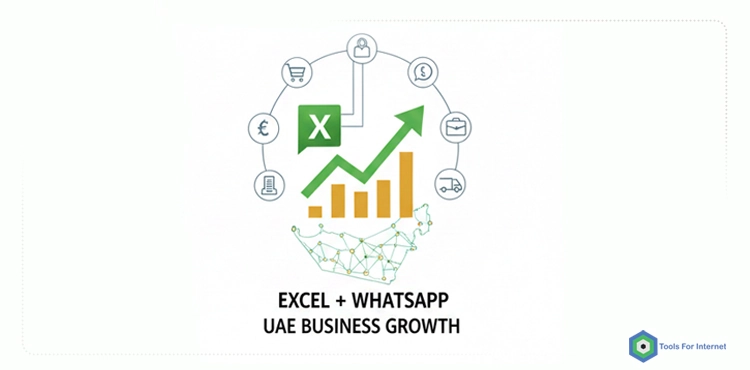
WhatsApp Business App (Free Mobile App)
- Designed for small teams
- Manual responses
- Basic features: labels, away messages, quick replies
- Not suitable for automation or high message volume
WhatsApp Business API / Cloud API
- Built for automation
- Connects to Excel, CRM, ERP, workflow engines (like n8n, Make, Zapier)
- Supports webhooks, chatbots, templated messages
- Scales with your business
If your goal is to automatically answer WhatsApp messages based on Excel data,
the API is the only reliable and scalable way.
What Is Excel-to-WhatsApp Automation?
Excel-to-WhatsApp automation refers to the process of connecting your product data, price lists, and operational information stored in Excel directly to WhatsApp through an automation engine. Instead of manually searching, copying, and sending details to customers, the system analyzes incoming messages, retrieves the correct information from Excel, and replies instantly through the WhatsApp API. This eliminates repetitive work, ensures accuracy, and allows your business to deliver fast, consistent communication at scale.
In short, Excel to WhatsApp Automation UAE connects your internal Excel data directly to real-time customer conversations.
Excel-to-WhatsApp automation is a system where:
- Excel acts as your source of truth (products, prices, stock, delivery info)
- WhatsApp API receives customer messages
- Automation logic reads the Excel data and identifies the correct response
- A professional, structured WhatsApp message is returned instantly
From the customer’s perspective:
- They ask for a price or product info
- They receive a full, accurate response in seconds
- They can still switch to a human agent anytime
From your business perspective:
- No repetitive typing
- No outdated price mistakes
- No delays during peak hours
- No need to hire extra staff for message volume
What Kind of Data Do UAE Businesses Already Store in Excel?
Most UAE businesses already rely heavily on Excel as their internal database for daily operations. Whether managing hundreds of SKUs or handling service-based pricing structures, Excel remains the simplest and most accessible tool for keeping critical business information up to date. This makes it an ideal foundation for automation: instead of building a new system or migrating to expensive software, WhatsApp automation can pull data directly from the Excel files your team already updates every day. As a result, the transition to automated messaging becomes faster, cheaper, and far more reliable.
Most UAE companies manage:
- Product lists & SKUs
- Retail & wholesale prices in AED
- Multilingual descriptions (English + Arabic)
- Stock status
- Delivery fees/time estimates
- Service packages
- FAQs and predefined answers
Automation simply uses the Excel file you already update daily — no new system required.
How Excel-to-WhatsApp Automation Works (Step-by-Step Guide)
A successful automation workflow depends heavily on the structure and quality of your data. Before any messages can be processed or matched, the system needs a clean and consistent Excel file to serve as the central source of truth. This ensures that product details, prices, stock status, and delivery rules can be extracted accurately and mapped to customer queries in real time. A well-organized Excel sheet is the foundation of the entire automation process, and even small inconsistencies can lead to incorrect responses or failed lookups.
Step 1: Create a Clean, Structured Excel File
A typical Excel setup:
Sheet: Products
| Column | Description |
|---|---|
| SKU | Unique product code |
| Product_Name | Product title |
| Category | Category/Type |
| Brand | Brand name |
| Price_AED | Price in AED |
| Description_EN | English description |
| Description_AR | Arabic description |
| Stock_Status | Available / Low Stock / Out of Stock |
Sheet: Delivery
| City | Delivery Fee | Delivery Time | Cash on Delivery |
|---|
Step 2: Connect Excel to an Automation Layer
Before the system can read your Excel data and generate automated WhatsApp responses, it needs an automation layer that acts as the “bridge” between the two. This layer receives incoming messages from the WhatsApp API, processes the text, searches for matching data inside your Excel file, and then formats a structured reply. Without this middleware, WhatsApp cannot communicate with Excel directly. Tools like n8n, Make, and Zapier provide a visual workflow builder for connecting these components, while custom Node.js or Python backends offer more flexibility for advanced or high-volume UAE businesses.
This can be:
- n8n
- Make
- Zapier
- Custom Node.js/Python backend
The automation layer needs to:
- Read Excel data
- Receive WhatsApp messages via API
- Perform matching (SKU, product name, keyword)
- Build and send a proper WhatsApp reply
Step 3: Message Parsing & Matching Logic
Understanding how the system interprets customer messages is essential to making automation reliable and accurate. When a user sends a WhatsApp message, the automation engine must analyze the text, identify what type of request it represents, and determine which data in Excel corresponds to that request. This involves detecting product names, SKUs, pricing keywords, and intent signals such as enquiries about delivery or availability. The quality of this parsing step directly affects how quickly and accurately the system can respond, which is why a structured matching logic is critical for a seamless customer experience.
Examples:
- SKU-based queries:
“price 4578” → detect SKU → lookup in Excel - Name-based queries:
“iphone 15 pro 256gb” → fuzzy match product row - Menu-based flows:
User taps button “Wholesale Prices” → automation queries wholesale sheet
Fallback logic:
- If one match → direct answer
- If multiple matches → ask user to choose
- If no match → ask clarifying question or handover to human agent
Step 4: Generate, Send, and Monitor Automated WhatsApp Responses
Once the system identifies the correct information from your Excel file, the next step is to generate a clean, structured reply and ensure it is delivered reliably through the WhatsApp API. This stage combines message formatting, automated delivery, performance tracking, and seamless handover to human agents when needed.
Creating Automated Response Templates
The system uses predefined templates to send accurate and consistent messages, including product details, prices, stock status, and delivery information. These templates ensure that all responses originate directly from Excel, eliminating human error and keeping communication uniform.
Sending Responses and Managing Sessions
The automation layer sends replies instantly through the WhatsApp API while managing WhatsApp’s 24-hour session window. It ensures messages are delivered correctly and identifies when additional clarification is required.
Logging and Human Handover
All interactions are logged to track response times, common queries, and automation accuracy. If the system detects a complex request or repeated failed matches, it automatically transfers the conversation to a human agent—ensuring a smooth customer experience without interruption.
Manual vs Automated WhatsApp Operations: A Practical Comparison
Most businesses in the UAE start by handling WhatsApp messages manually, relying on staff members to look up information, type responses, and manage conversations throughout the day. While this approach can work in the early stages, it quickly becomes inefficient as message volume increases or when customers expect faster and more accurate replies. Automation solves these challenges by connecting WhatsApp directly to your data source—typically Excel—allowing the system to respond instantly, consistently, and without human error. Comparing manual operations with automated workflows helps businesses understand the operational impact, cost differences, and long-term scalability benefits of moving to a fully automated WhatsApp system.
For UAE companies, Excel to WhatsApp Automation UAE is often the fastest way to scale from manual replies to fully automated, data-driven conversations.
Before investing in automation, UAE businesses often ask:
“How much better is automation compared to manual WhatsApp work?”
Here is a clear answer:
| Factor | Manual WhatsApp Handling | Automated WhatsApp |
|---|---|---|
| Response Time | 1–30 minutes | 1–3 seconds, 24/7 |
| Accuracy | Human errors common | 100% accurate (from Excel) |
| Scalability | Requires hiring more staff | Scales infinitely |
| Consistency | Different responses from different staff | Fully unified |
| Repetitive Queries | Time-consuming | Fully automated |
| Peak Hours | Delays, missed chats | Zero-delay performance |
| Operational Costs | Increases with team size | Stable, predictable |
| Customer Satisfaction | Inconsistent | Fast, professional |
| Updating Information | Must notify team | Update Excel → system updates |
| Business Continuity | Impacted by staff turnover | System unaffected |
This comparison makes automation’s value obvious: speed, accuracy, 24/7 availability, and scalability. Businesses in the UAE — where customer expectations are extremely high — simply cannot maintain competitive performance with manual WhatsApp operations alone.
Key Benefits of Excel to WhatsApp Automation UAE for Businesses
Excel-to-WhatsApp automation provides a significant competitive advantage for businesses operating in the UAE, where customer expectations for speed, accuracy, and availability are exceptionally high. By connecting WhatsApp directly to your existing Excel data, companies can eliminate manual message handling, reduce response times, and deliver consistent information at scale. These benefits extend beyond customer service—automation also improves internal efficiency, minimizes operational errors, and allows teams to focus on higher-value interactions instead of repetitive tasks.
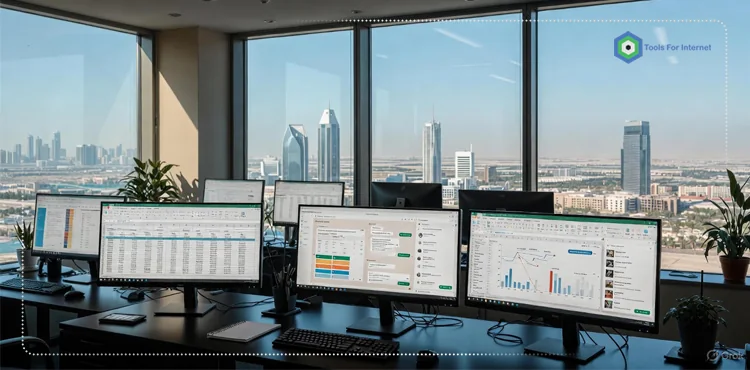
1. 24/7 Instant Replies That Protect Your Paid Leads
Especially when running ads, delays kill conversions.
Automation ensures:
- Immediate responses
- Zero lost leads
- Consistent experience day and night
2. Lower Workload, Higher Productivity
Automation frees your team from:
- Repetitive typing
- Re-explaining delivery terms
- Copying prices manually
Your staff can focus on:
- Closing deals
- Handling complex enquiries
- Managing high-value customers
3. Higher Accuracy & Zero Miscommunication
Every WhatsApp answer comes directly from Excel.
No:
- Misquoted prices
- Outdated stock information
- Conflicting customer messages
Consistency = trust = higher conversion.
Beyond speed and accuracy, Excel-driven automation creates operational alignment across your entire company. Salespeople, warehouse teams, delivery agents, and customer support staff all use the same central dataset. This eliminates internal confusion and ensures that every department communicates with customers based on the same live information — something that becomes increasingly important as you scale into multiple emirates.
4. Scalability Without Hiring More Staff
Manual WhatsApp does not scale.
Automation scales instantly — regardless of message volume.
High-Level Architecture: From Excel to WhatsApp in Practice
A well-designed architecture ensures your automation system remains flexible as your business evolves. If you later want to migrate your data from Excel to a CRM, integrate payments, or introduce AI-driven message interpretation, the system can grow without needing to be rebuilt — provided the architecture is modular from the beginning.
Data Layer
Excel (or Google Sheets) stores products, prices, delivery rules, FAQs, multilingual fields, etc.
Automation Layer
n8n, Make, Zapier, or custom backend executes:
- Parsing
- Matching
- Template building
- Replying
- Logging
WhatsApp API Layer
Handles templates, message delivery, compliance, and pricing.
Our Implementation Approach (Belarus → UAE)
We follow a streamlined, professional process designed specifically for UAE businesses. Our goal is simple: deliver a fast, accurate, and reliable WhatsApp automation system that fits seamlessly into your existing workflow. Every project follows four clear stages to ensure quality, transparency, and long-term success.
Phase 1: Discovery
We analyze your Excel structure, WhatsApp enquiry patterns, and business rules to understand exactly how your customers interact with your brand.
Phase 2: Solution Design
We create message templates, define matching logic, and map automation flows to ensure the system responds the same way your team would—only faster and without errors.
Phase 3: Build & Pilot
Our team connects your Excel data to the automation engine and WhatsApp API, then runs real-world tests to verify accuracy, speed, and performance.
Phase 4: Deployment & Optimization
We launch the automation for live customers, train your team, and fine-tune the workflow to ensure consistent results and long-term reliability.
Best Practices for WhatsApp Automation (2025)
- Combine automation + human agents
- Support English + Arabic
- Keep Excel clean and versioned
- Monitor KPIs continuously
FAQ
1: Do I need the WhatsApp Business API to enable Excel automation?
Yes. The standard WhatsApp Business App cannot connect to Excel, automation tools, or workflow engines. The WhatsApp Business API is required to receive and send automated messages, integrate with your data, and create a fully scalable automation system.
2: Can the automation reply in both English and Arabic?
Absolutely. Since the data comes from Excel, you can store product names, descriptions, and messages in both languages. The automation engine will detect the user’s language and respond accordingly.
3: How fast does the system respond to customer messages?
Responses are sent within 1–3 seconds. Even during peak hours, the automation handles large volumes of inquiries instantly without delays.
4: Can the system handle product name variations or spelling mistakes?
Yes. Through keyword matching, SKU detection, and fuzzy search logic, the system can identify products even if the customer uses abbreviations, partial names, or non-standard spelling.
5: What if the automation cannot understand a message?
If the system cannot match a message to any data in Excel, it will ask a clarifying question or hand the conversation over to a human agent. No customer is ever left without a proper response.
Turn Your Excel Into a Smart WhatsApp Engine
Most UAE businesses already store their critical product, pricing, and service information inside Excel. By connecting this data directly to WhatsApp through a structured automation system, you can offer instant replies, eliminate human errors, reduce operational costs, and dramatically improve customer experience. With a well-implemented Excel to WhatsApp Automation UAE setup, your existing spreadsheets become the engine behind 24/7, error-free customer communication.
With the right architecture and a reliable implementation process, WhatsApp becomes more than a communication tool—it becomes a fully automated sales and support engine that works 24/7.
If you want a seamless automation system built around your existing workflows, our team is ready to design, implement, and optimize a complete Excel-to-WhatsApp solution tailored for UAE business environments.
Just contact us !