On this page18
- What Is WhatsApp Business API?
- WhatsApp Business Platform vs WhatsApp Business App
- How WhatsApp API Pricing Actually Works
- Key Components of WhatsApp API Pricing
- Conversation-Based Pricing Explained
- WhatsApp API Pricing by Conversation Type
- WhatsApp API Provider Fees
- Setup Costs and Onboarding Fees
- Integration Costs: Connecting WhatsApp to CRM and Business Systems
- Hidden Costs Businesses Often Overlook
- Example Monthly WhatsApp API Cost Scenarios
- Is the Cheapest WhatsApp API Provider Always the Best?
- When Custom Architecture Is Better Than Ready Platforms
- How Businesses Use WhatsApp API in Real Operations
- How TFI Tools Helps Businesses Implement WhatsApp API
- Frequently Asked Questions about WhatsApp Business API
- Final Thoughts
- Automate Your WhatsApp Now with Us
WhatsApp Business API has become the primary communication channel between businesses and customers. Modern customers expect instant responses, personalized interactions, and seamless digital support. Among all messaging platforms, WhatsApp dominates global communication with billions of active users.
For companies that want to scale customer communication, automate conversations, and integrate messaging with their internal systems, the WhatsApp Business API provides the infrastructure required to manage these operations efficiently.
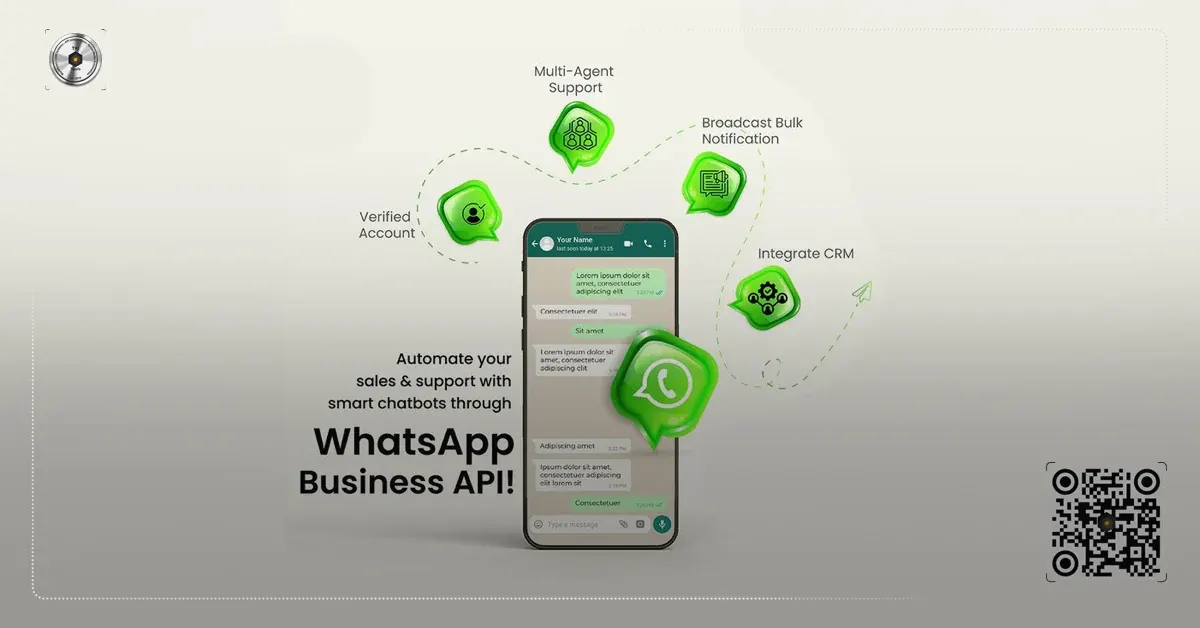
Unlike the WhatsApp Business App designed for small businesses, the API allows organizations to connect messaging with CRM systems, automation tools, support platforms, and internal databases. This enables businesses to automate workflows, handle large volumes of conversations, and deliver faster responses to customers.
Companies implementing messaging automation often combine WhatsApp communication with CRM integrations and workflow automation. Businesses that want to implement such systems can collaborate with integration specialists such as http://tfi.tools/
to build scalable messaging infrastructures connected to their operational systems.
In this guide, we explain how WhatsApp Business API works, how the pricing model operates, how businesses obtain API access, and how organizations use messaging automation to improve customer communication.
What Is WhatsApp Business API?
The WhatsApp Business API is an enterprise messaging solution that allows businesses to communicate with customers programmatically through software integrations rather than a simple mobile application.
Instead of relying on a phone-based interface, companies connect their backend systems directly to WhatsApp servers through API endpoints. This allows organizations to send automated messages, manage large conversation volumes, and connect messaging with CRM systems or automation tools.
Unlike the WhatsApp Business App, the API is not a standalone interface. It must be integrated into business systems such as:
- CRM platforms
- Help desk software
- marketing automation tools
- customer support platforms
- internal dashboards
- CRM platforms
- Help desk software
- marketing automation tools
- customer support platforms
- internal dashboards
The API enables businesses to:
- send automated notifications
- manage high-volume messaging
- automate customer support
- integrate messaging with CRM systems
- build complex messaging workflows
- send automated notifications
- manage high-volume messaging
- automate customer support
- integrate messaging with CRM systems
- build complex messaging workflows
Because of this flexibility, the API is widely used by companies that require sales automation, customer support messaging, and transactional communication.
Businesses that want to implement such workflows often rely on automation and integration platforms like those developed by TFI Tools, which specialize in connecting WhatsApp messaging to CRM and operational systems.
WhatsApp Business Platform vs WhatsApp Business App
Many companies initially start with the WhatsApp Business App and later transition to the WhatsApp Business Platform, which includes the API infrastructure.
The difference between these two solutions is significant.
| Feature | WhatsApp Business App | WhatsApp Business API |
|---|---|---|
| Target users | Small businesses | Medium & large companies |
| Automation | Minimal | Advanced automation |
| CRM integration | Not supported | Fully supported |
| Multiple agents | Limited | Unlimited |
| Workflow automation | Not available | Supported |
Target users
- WhatsApp Business App
- Small businesses
- WhatsApp Business API
- Medium & large companies
Automation
- WhatsApp Business App
- Minimal
- WhatsApp Business API
- Advanced automation
CRM integration
- WhatsApp Business App
- Not supported
- WhatsApp Business API
- Fully supported
Multiple agents
- WhatsApp Business App
- Limited
- WhatsApp Business API
- Unlimited
Workflow automation
- WhatsApp Business App
- Not available
- WhatsApp Business API
- Supported
Businesses that require automation, multi-agent communication, and system integrations generally move to the API version once their messaging needs increase.
How WhatsApp API Pricing Actually Works
The most important concept to understand is that WhatsApp does not charge per message. Instead, pricing is based on conversations.
A conversation begins when a message is sent between a business and a user and lasts 24 hours. During that period, unlimited messages can be exchanged within that conversation category.
WhatsApp currently classifies conversations into four types:
| Conversation Type | Description | Typical Use Case |
|---|---|---|
| Marketing | Promotional messages or campaigns | Offers, promotions, announcements |
| Utility | Transactional updates | order confirmation, payment status |
| Authentication | Login verification messages | OTP codes |
| Service | Customer support conversations | replies to customer messages |
Marketing
- Description
- Promotional messages or campaigns
- Typical Use Case
- Offers, promotions, announcements
Utility
- Description
- Transactional updates
- Typical Use Case
- order confirmation, payment status
Authentication
- Description
- Login verification messages
- Typical Use Case
- OTP codes
Service
- Description
- Customer support conversations
- Typical Use Case
- replies to customer messages
Each category has a different price depending on region and conversation type. Businesses pay Meta directly for these conversations, while solution providers may charge additional platform fees.
When a customer sends a message, the message is delivered to the company’s backend infrastructure via the API. The system then processes the request and determines how to respond.
Messages can be handled in three ways:
automated responses triggered by workflows
routing the conversation to a support agent
triggering actions within internal systems
automated responses triggered by workflows
routing the conversation to a support agent
triggering actions within internal systems
For example, if a customer asks about product availability, the system can check inventory databases and send a response automatically. These workflows allow businesses to manage thousands of conversations simultaneously while maintaining consistent communication with customers.
Key Components of WhatsApp API Pricing
Many businesses mistakenly assume that WhatsApp API pricing only includes conversation fees. In reality, several cost components influence the final price.
Below are the most common cost elements.
| Cost Component | Description |
|---|---|
| Meta conversation fee | charge per conversation category |
| provider platform fee | monthly fee from API providers |
| setup cost | onboarding and account configuration |
| integration cost | connecting WhatsApp to CRM or backend |
| template management | approval and template design |
| infrastructure cost | hosting or messaging architecture |
Meta conversation fee
- Description
- charge per conversation category
provider platform fee
- Description
- monthly fee from API providers
setup cost
- Description
- onboarding and account configuration
integration cost
- Description
- connecting WhatsApp to CRM or backend
template management
- Description
- approval and template design
infrastructure cost
- Description
- hosting or messaging architecture
Understanding these elements helps businesses estimate the real cost of implementation.
Conversation-Based Pricing Explained
Meta introduced conversation-based pricing to simplify billing. Instead of charging per message, businesses pay per conversation window.
A conversation begins when a business sends a template message or responds to a user message.
The 24-hour window allows unlimited replies without additional charges.
Example:
If a business sends a promotional campaign and a user responds, the conversation is counted once, regardless of how many messages are exchanged during that period.
This model encourages meaningful interactions rather than message volume.
WhatsApp API Pricing by Conversation Type
Pricing varies depending on the category of conversation.
The approximate global ranges for 2026 are shown below.
| Conversation Type | Estimated Price Range |
|---|---|
| Marketing conversation | $0.03 – $0.07 |
| Utility conversation | $0.01 – $0.03 |
| Authentication conversation | $0.02 – $0.05 |
| Service conversation | often free if user initiated |
Marketing conversation
- Estimated Price Range
- $0.03 – $0.07
Utility conversation
- Estimated Price Range
- $0.01 – $0.03
Authentication conversation
- Estimated Price Range
- $0.02 – $0.05
Service conversation
- Estimated Price Range
- often free if user initiated
The exact price depends on the user’s country and WhatsApp’s regional pricing policy. Businesses operating in the Middle East, Europe, or Asia may see different price structures. Because of these regional differences, companies often analyze messaging costs carefully before launching large campaigns.

WhatsApp API Provider Fees
Meta provides the infrastructure, but businesses typically connect through a Business Solution Provider (BSP).
These providers offer dashboards, analytics, and management tools on top of the API.
Common providers include:
- Twilio
- 360dialog
- MessageBird
- Vonage
- Twilio
- 360dialog
- MessageBird
- Vonage
Each provider adds its own pricing structure.
| Provider Type | Typical Monthly Fee |
|---|---|
| Basic API gateway | $0 – $50 |
| mid-tier platform | $50 – $300 |
| enterprise messaging platform | $300 – $1000+ |
Basic API gateway
- Typical Monthly Fee
- $0 – $50
mid-tier platform
- Typical Monthly Fee
- $50 – $300
enterprise messaging platform
- Typical Monthly Fee
- $300 – $1000+
Some providers charge markup on conversations, while others charge subscription fees. Businesses evaluating implementation options should consider both conversation costs and provider pricing.
Setup Costs and Onboarding Fees
Setting up WhatsApp API usually involves a one-time onboarding process.
Typical setup activities include:
- verifying business accounts
- configuring Meta Business Manager
- connecting phone numbers
- approving message templates
- configuring webhook infrastructure
- verifying business accounts
- configuring Meta Business Manager
- connecting phone numbers
- approving message templates
- configuring webhook infrastructure
Setup costs vary significantly depending on the complexity of the integration.
| Setup Scenario | Typical Cost |
|---|---|
| Simple API onboarding | $100 – $300 |
| CRM integration setup | $500 – $2000 |
| enterprise automation workflow | $2000 – $10000+ |
Simple API onboarding
- Typical Cost
- $100 – $300
CRM integration setup
- Typical Cost
- $500 – $2000
enterprise automation workflow
- Typical Cost
- $2000 – $10000+
Companies implementing complex messaging automation often work with specialized integration teams such as TFI Tools, which design automation workflows tailored to business operations.
Integration Costs: Connecting WhatsApp to CRM and Business Systems
The real value of WhatsApp Business API emerges when it integrates with business systems.
Common integrations include:
- CRM platforms
- help desk systems
- ecommerce platforms
- marketing automation tools
- databases and internal systems
- CRM platforms
- help desk systems
- ecommerce platforms
- marketing automation tools
- databases and internal systems
Integration allows businesses to automate processes such as:
- lead routing
- order notifications
- support ticket management
- follow-up messaging
- lead routing
- order notifications
- support ticket management
- follow-up messaging
The complexity of these integrations determines implementation costs.
| Integration Type | Estimated Cost |
|---|---|
| basic CRM connection | $300 – $1000 |
| automated workflow integration | $1000 – $5000 |
| custom architecture integration | $5000 – $20000 |
basic CRM connection
- Estimated Cost
- $300 – $1000
automated workflow integration
- Estimated Cost
- $1000 – $5000
custom architecture integration
- Estimated Cost
- $5000 – $20000
Companies that require high-volume messaging automation or system integrations often build customized workflows through automation tools and platforms such as those developed by http://tfi.tools/.
Hidden Costs Businesses Often Overlook
Many businesses underestimate the real cost of implementing WhatsApp API.
Common hidden costs include:
- message template management
- automation logic development
- compliance and security configuration
- database integration
- workflow monitoring systems
- message template management
- automation logic development
- compliance and security configuration
- database integration
- workflow monitoring systems
Without proper architecture, messaging systems can become difficult to scale or maintain. Organizations implementing WhatsApp messaging as part of a larger automation strategy usually focus on long-term architecture rather than short-term cost savings.
Example Monthly WhatsApp API Cost Scenarios
To better understand WhatsApp API pricing, consider the following simplified scenarios.
| Business Size | Monthly Conversations | Estimated Monthly Cost |
|---|---|---|
| Small business | 2,000 | $80 – $150 |
| Growing startup | 10,000 | $300 – $600 |
| Mid-size company | 50,000 | $1500 – $3000 |
| Enterprise platform | 200,000+ | $6000+ |
Small business
- Monthly Conversations
- 2,000
- Estimated Monthly Cost
- $80 – $150
Growing startup
- Monthly Conversations
- 10,000
- Estimated Monthly Cost
- $300 – $600
Mid-size company
- Monthly Conversations
- 50,000
- Estimated Monthly Cost
- $1500 – $3000
Enterprise platform
- Monthly Conversations
- 200,000+
- Estimated Monthly Cost
- $6000+
These estimates include conversation fees and basic provider costs but do not include complex integrations or infrastructure.
Is the Cheapest WhatsApp API Provider Always the Best?
Choosing the cheapest provider often leads to long-term technical limitations.
While low pricing may appear attractive initially, businesses should evaluate additional factors such as:
- API reliability
- message delivery performance
- integration capabilities
- automation support
- customer support
- scalability
- API reliability
- message delivery performance
- integration capabilities
- automation support
- customer support
- scalability
A poorly chosen messaging architecture can limit automation capabilities or create operational bottlenecks. Companies implementing large messaging workflows often prioritize integration flexibility and automation features over minimal pricing.
When Custom Architecture Is Better Than Ready Platforms
Some organizations choose ready-made messaging platforms. Others build custom messaging architectures connected to CRM systems and automation tools.
Custom architecture is often preferable when:
messaging must integrate with multiple systems
automation workflows are complex
large message volumes are expected
customer data synchronization is required
messaging must integrate with multiple systems
automation workflows are complex
large message volumes are expected
customer data synchronization is required
Specialized integration teams such as TFI Tools help businesses design messaging infrastructure that connects WhatsApp API with CRM systems, automation workflows, and operational data.
This approach enables businesses to build scalable communication pipelines instead of relying solely on third-party dashboards.
How Businesses Use WhatsApp API in Real Operations
Businesses typically deploy WhatsApp API in several operational areas.
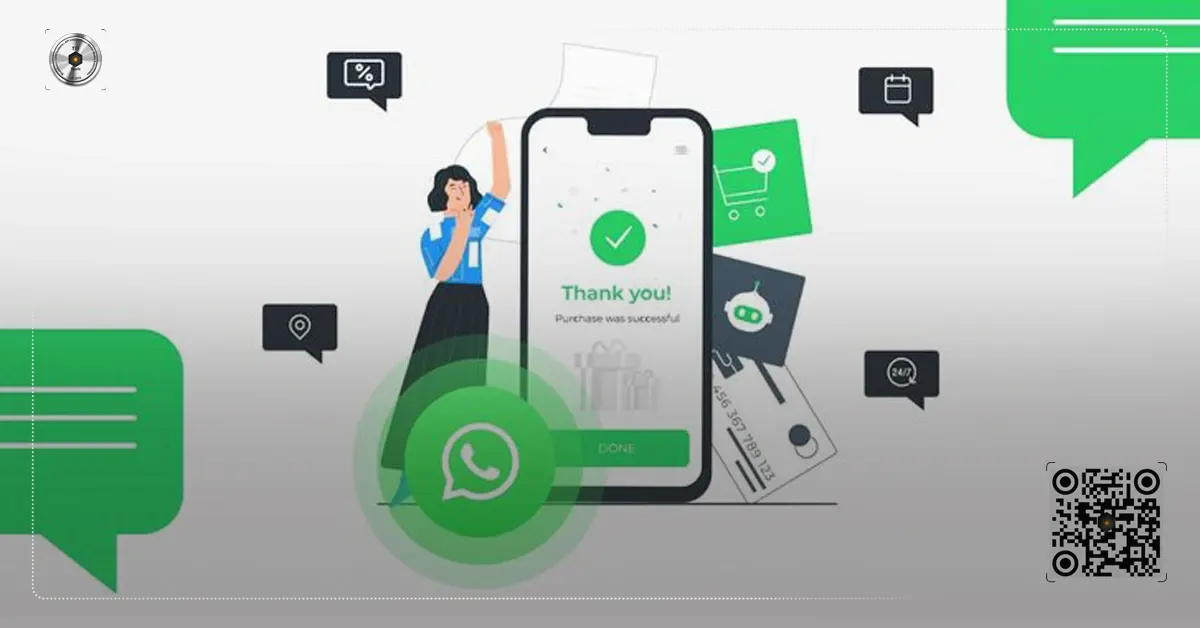
Customer support automation allows companies to respond to inquiries instantly and manage support tickets directly through messaging.
Sales teams use WhatsApp integration to track leads and follow up with prospects automatically.
Marketing teams run promotional campaigns and product announcements while tracking engagement metrics.
Operational departments also use the platform for transaction notifications, appointment reminders, and document delivery.
When integrated properly with CRM systems and automation workflows, WhatsApp becomes more than a messaging tool. It becomes part of the company’s operational infrastructure.
How TFI Tools Helps Businesses Implement WhatsApp API
Implementing WhatsApp API requires careful planning, integration design, and automation architecture.
The team at http://tfi.tools/ specializes in building business automation systems that connect messaging platforms with CRM systems, operational databases, and workflow engines.
Companies working with TFI Tools can implement solutions such as:
- WhatsApp CRM integrations
- automated lead management systems
- messaging workflow automation
- customer support automation pipelines
- scalable messaging infrastructure
- WhatsApp CRM integrations
- automated lead management systems
- messaging workflow automation
- customer support automation pipelines
- scalable messaging infrastructure
Organizations that want to launch or scale WhatsApp messaging workflows can contact TFI Tools to evaluate their requirements and design a reliable implementation architecture.
Frequently Asked Questions about WhatsApp Business API
How much does WhatsApp API cost per message?
WhatsApp does not charge per message. Pricing is based on conversation windows lasting 24 hours.
Is WhatsApp Business API free?
The API itself is free to access, but conversation fees and provider costs apply.
Can small businesses use WhatsApp API?
Yes. Small businesses often use the API for automation, lead generation, and customer support.
What is the cheapest WhatsApp API provider?
The cheapest provider depends on conversation volume and feature requirements. Businesses should compare both platform fees and conversation markups.
How long does WhatsApp API setup take?
Basic setup can take a few days, while complex CRM integrations may take several weeks.
Final Thoughts
WhatsApp Business API has become one of the most powerful communication channels for businesses that want scalable messaging, automation, and CRM integration.
However, pricing is not as simple as a single subscription fee. Businesses must consider conversation costs, provider pricing, integration expenses, and long-term infrastructure requirements.
Organizations that treat WhatsApp messaging as part of a broader automation strategy often gain the most value from the platform.
Companies planning to deploy WhatsApp messaging workflows, CRM integrations, or automation pipelines can consult with the specialists at http://tfi.tools/ to design the most efficient architecture for their business communication systems.
Understanding WhatsApp API pricing in 2026—including real setup fees, converstion charges, and provider comparisons—gives businesses the clarity needed to integrate scalable messaging into custom CRM, workflow automation, and operational control layers. This guide cuts through the complexity so operations managers and CRM decision-makers can accurately forecast costs, choose the right infrastructure partner, and confidently connect WhatsApp Business API with internal systems to automate customer conversations and support long-term process optimization. At TFI.Tools we design, build, and scale automation-first business systems rather than offering generic digital services, because we don’t sell promises, we build systems.
Top Benefits
Grades & Tolerances
| Platform Type | WhatsApp Business API |
|---|---|
| Functional Category | Business messaging infrastructure for automation |
| Primary Function | Scale customer communication, automate conversations, and integrate with CRM and internal systems |
| Global Capacity | Billions of active users |
| Analysis Horizon | 2026 |
| Cost Components | Setup fees and conversation charges |
| Compatible Systems | Custom CRM, n8n, workflow automation, system integration |
| Automation Focus | Process optimization and scalable systems |
| Infrastructure Type | Search-ready infrastructure for business automation |
| Geographic Focus | UAE, Saudi Arabia, GCC |
| Operational Approach | Long-term operational systems rather than quick tools |
| Core Principle | We don’t sell promises, we build systems! |
| Content Format | Practical provider comparison and real cost analysis |
- Platform Type
- WhatsApp Business API
- Functional Category
- Business messaging infrastructure for automation
- Primary Function
- Scale customer communication, automate conversations, and integrate with CRM and internal systems
- Global Capacity
- Billions of active users
- Analysis Horizon
- 2026
- Cost Components
- Setup fees and conversation charges
- Compatible Systems
- Custom CRM, n8n, workflow automation, system integration
- Automation Focus
- Process optimization and scalable systems
- Infrastructure Type
- Search-ready infrastructure for business automation
- Geographic Focus
- UAE, Saudi Arabia, GCC
- Operational Approach
- Long-term operational systems rather than quick tools
- Core Principle
- We don’t sell promises, we build systems!
- Content Format
- Practical provider comparison and real cost analysis
Proven Applications
Custom CRM
CRM decision-makers integrating WhatsApp Business API with custom CRM platforms to automate conversation routing and synchronize customer data across internal systems.
Workflow Automation
Building n8n workflows that trigger automated responses on WhatsApp based on conversation categories while monitoring 2026 per-conversation charges for cost control.
System Integration
Connecting WhatsApp Business API to existing support platforms, databases, and automation architecture for unified customer communication workflows.
Process Optimization
Process-heavy companies optimizing support operations by analyzing setup fees and provider comparisons to reduce manual handling in high-volume messaging.
Operations Managers
Operations managers in scalable automation teams using real 2026 pricing data to design long-term customer engagement systems without inflating operational costs.
GCC Business Automation
Businesses in the UAE and Saudi Arabia implementing WhatsApp Business API within automation architecture to meet instant response expectations in regional markets.
Automation Architecture
Designing automation architecture that factors conversation-based pricing into scalable systems for sustained workflow and process optimization.
Scalable Systems
Business owners building integrated messaging layers with custom CRM and Telegram-based automation to create search-ready infrastructure. We don’t sell promises, we build systems!
Custom CRM
CRM decision-makers integrating WhatsApp Business API with custom CRM platforms to automate conversation routing and synchronize customer data across internal systems.
Workflow Automation
Building n8n workflows that trigger automated responses on WhatsApp based on conversation categories while monitoring 2026 per-conversation charges for cost control.
System Integration
Connecting WhatsApp Business API to existing support platforms, databases, and automation architecture for unified customer communication workflows.
Process Optimization
Process-heavy companies optimizing support operations by analyzing setup fees and provider comparisons to reduce manual handling in high-volume messaging.
Operations Managers
Operations managers in scalable automation teams using real 2026 pricing data to design long-term customer engagement systems without inflating operational costs.
GCC Business Automation
Businesses in the UAE and Saudi Arabia implementing WhatsApp Business API within automation architecture to meet instant response expectations in regional markets.
Automation Architecture
Designing automation architecture that factors conversation-based pricing into scalable systems for sustained workflow and process optimization.
Scalable Systems
Business owners building integrated messaging layers with custom CRM and Telegram-based automation to create search-ready infrastructure. We don’t sell promises, we build systems!
Frequently asked questions
What is the WhatsApp Business API within business automation and custom CRM frameworks?
The WhatsApp Business API is an infrastructure component that embeds customer messaging directly into custom CRM platforms, workflow automation, and operational control layers. It enables system integration with internal databases and automation tools to support automated conversations at scale. TFI.Tools designs these connections as long-term operational systems focused on process optimization rather than temporary messaging add-ons.
How does TFI.Tools integrate WhatsApp Business API into workflow automation?
TFI.Tools maps the WhatsApp Business API to custom CRM and automation platforms through structured nodes and triggers that align with existing business rules. Incoming messages activate predefined workflows, synchronize data across systems, and route interactions for process optimization. This configuration creates unified operational control layers that reduce manual handling while maintaining scalability and long-term system reliability.
Can WhatsApp Business API support scalable automation in process-heavy operations?
Yes. The WhatsApp Business API integrates with custom CRM and automation architecture to automate conversation handling, data capture, and follow-up sequences. It fits workflow automation requirements by categorizing interactions and connecting them to operational control layers. TFI.Tools implements these capabilities to deliver process optimization and scalable systems that evolve with business demands.
Does WhatsApp Business API implementation require evaluation of setup and conversation costs?
Yes. Effective deployment includes analysis of setup requirements and conversation charges tied to message categories and volume. These costs must be factored into custom CRM integration and workflow automation planning. TFI.Tols ensures businesses understand real expenses during architecture design, aligning them with long-term process optimization and operational efficiency goals.
Which provider factors matter when selecting WhatsApp API for system integration?
Provider selection should prioritize compatibility with automation tools, stability for custom CRM connections, and support for workflow automation at scale. Key considerations include reliability of operational control layers, ease of process optimization, and alignment with long-term scalable systems. TFI.Tools evaluates these criteria to ensure the chosen solution strengthens overall business automation architecture.
How can businesses access TFI.Tools for WhatsApp Business API integration services?
Businesses can engage TFI.Tools to design, build, and scale automation-first systems that incorporate WhatsApp Business API with custom CRM, workflow automation, and operational control layers. Our process begins with assessment of current infrastructure and real costs before building integrated solutions. We don’t sell promises, we build systems!
Automate Your WhatsApp Now with Us
Automate Your WhatsApp Now with Us
At TFI Tools, you can sign up and get your multi-WhatsApp accounts, connect them to AI+, and integrate them with your CRM systems!
Price & deliveryFrom $152.0030–65 days
- Price range
- $152.00 – $2,792.6835 offers
- Availability
- Made to order (pre-order)
- Condition
- New
- Product code
- BLD-HSS-250-14T-PR
- Price valid until
- May 24, 2028
- Delivery
- 30–65 daysHandling and transit, business days
- Shipping cost
- Up to AED 1,500Depends on destination and size
- Ships to
- United Arab Emirates · 7 regions
- Returns
- Within 1 dayReturn shipping $1,100
Return policy
Returns are accepted within 1 day of delivery. Items are sent back by post or courier. Return shipping costs $1,100. The buyer arranges the return label. Refunds are given as store credit. Applies to deliveries to United Arab Emirates.
Price range and returns in US dollars (USD); shipping cost in UAE dirhams (AED). Your quote confirms the exact price.
Tell us the size and quantity. We reply with an exact price by email.
Price & deliveryFrom $152.0030–65 days
- Price range
- $152.00 – $2,792.6835 offers
- Availability
- Made to order (pre-order)
- Condition
- New
- Product code
- BLD-HSS-250-14T-PR
- Price valid until
- May 24, 2028
- Delivery
- 30–65 daysHandling and transit, business days
- Shipping cost
- Up to AED 1,500Depends on destination and size
- Ships to
- United Arab Emirates · 7 regions
- Returns
- Within 1 dayReturn shipping $1,100
Return policy
Returns are accepted within 1 day of delivery. Items are sent back by post or courier. Return shipping costs $1,100. The buyer arranges the return label. Refunds are given as store credit. Applies to deliveries to United Arab Emirates.
Price range and returns in US dollars (USD); shipping cost in UAE dirhams (AED). Your quote confirms the exact price.
Tell us the size and quantity. We reply with an exact price by email.
- Section
- tools for internet llc
- Updated
- October 27, 2026
- Reading time
- 14 min read
Discuss this with our team
Tell us what you need and our team replies by email.
Send an enquiry